 Zinn® Boards
No seat minimum: a small team pays one flat monthly price, not ten seats.
Compare
Zinn® Boards vs monday.com for client work
Zinn® Boards and monday.com compared for agencies: per-seat pricing with a 10-seat minimum versus one price per organisation, free plans, guests and AI.
The short answer
monday.com charges per seat, with a ten-seat minimum on its paid plans. Zinn® Boards charges once for your whole organisation, so a three-person studio is not paying for ten.
| Zinn® Boards | monday.com | |
|---|---|---|
| How paid plans are priced | One price per organisation, not per person | Per seat: Basic €9, Standard €12, Pro €19 a month billed annually, minimum 10 seats[1] |
| Free plan | 1 board, up to 5 people | Up to 2 seats and 3 boards[1] |
| Client or guest access | Client view with per-card visibility; read-only links need no account | Guests on Standard and above; unlimited free viewers from Basic[1] |
| AI | Pro and Business, or any plan with your own key | AI credits on every paid plan[1] |
Sources
Pro $9 · Business $29 — Prices are per organisation per month, not per person.
Why teams choose Zinn® Boards over monday.com
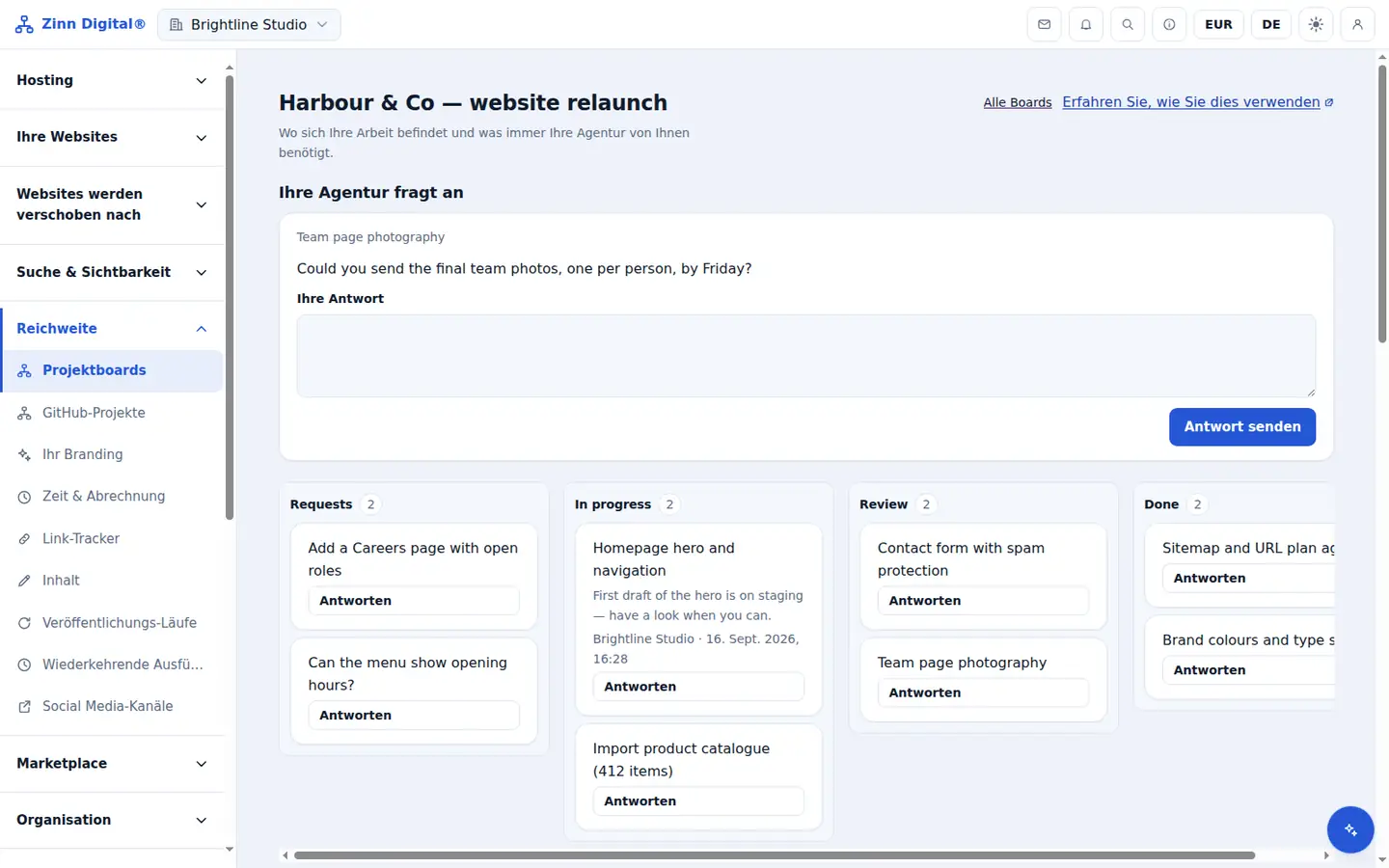
Clients get a filtered view of the board and can raise requests — on every plan, including free.
Unlimited boards and people from $9 a month.
Where it is the better choice
monday.com is a big, flexible work platform with many column types, automations, integrations and dashboards. For a company running many kinds of work across departments, it can do far more than a client board.
Where Zinn® Boards fits better
Zinn® Boards fits a small agency or freelancer who would otherwise pay for ten seats: one flat price per organisation, a client view built in, and a free board to start.
How to move from monday.com in three steps
Start with one live client project
Create a free board for the project you are busiest on and add its open cards. There is no importer from monday.com yet, so moving the work in progress — not the archive — is the quickest start.
Invite the team and decide what the client sees
Add your team, then mark the cards, columns and comments the client may see. Everything else stays agency-only, and labels are never shown to clients.
Send the client their link
Share a read-only link that needs no account, or invite the client to raise requests and answer questions on the card. Keep monday.com for older projects until they close.
Questions about moving from monday.com
Can I import my boards from monday.com?
Not today — there is no importer yet. Most teams move their live projects by hand and keep monday.com for finished work. Cards can also be created in bulk through the API.
Do my clients need to pay for a seat?
No. Zinn® Boards is one price per organisation, not per person, so inviting a client never adds to your bill. A read-only share link needs no account at all.
What does Zinn® Boards cost compared with monday.com?
One board with up to five people is free for good. Pro and Business are a flat monthly price per organisation with unlimited boards and people — see the prices under the table and the pricing page.
More project tool comparisons
- Zinn® Boards vs Trello for client work
- Zinn® Boards vs Asana for client work
- Zinn® Boards vs ClickUp for client work
- Zinn® Boards vs Basecamp for client work
- Zinn® Boards vs Notion for client projects
- Zinn® Boards vs Jira for client work
Competitor details were checked on each company's own public pricing page on the date shown under the table. Plans and prices change — check the source before you decide.
Free with Zinn Digital® hosting
Get Zinn® Boards free on Agency and Reseller hosting
Every Zinn Digital® Agency and Reseller hosting plan includes Zinn® Boards, with AI and API access, at no extra cost. Host your clients' sites and run their projects in one account, on one bill.