 Zinn® Boards
Connect GitHub Projects
Link a GitHub project to Zinn® Boards with the GitHub app or a personal access token, and choose the sync direction.
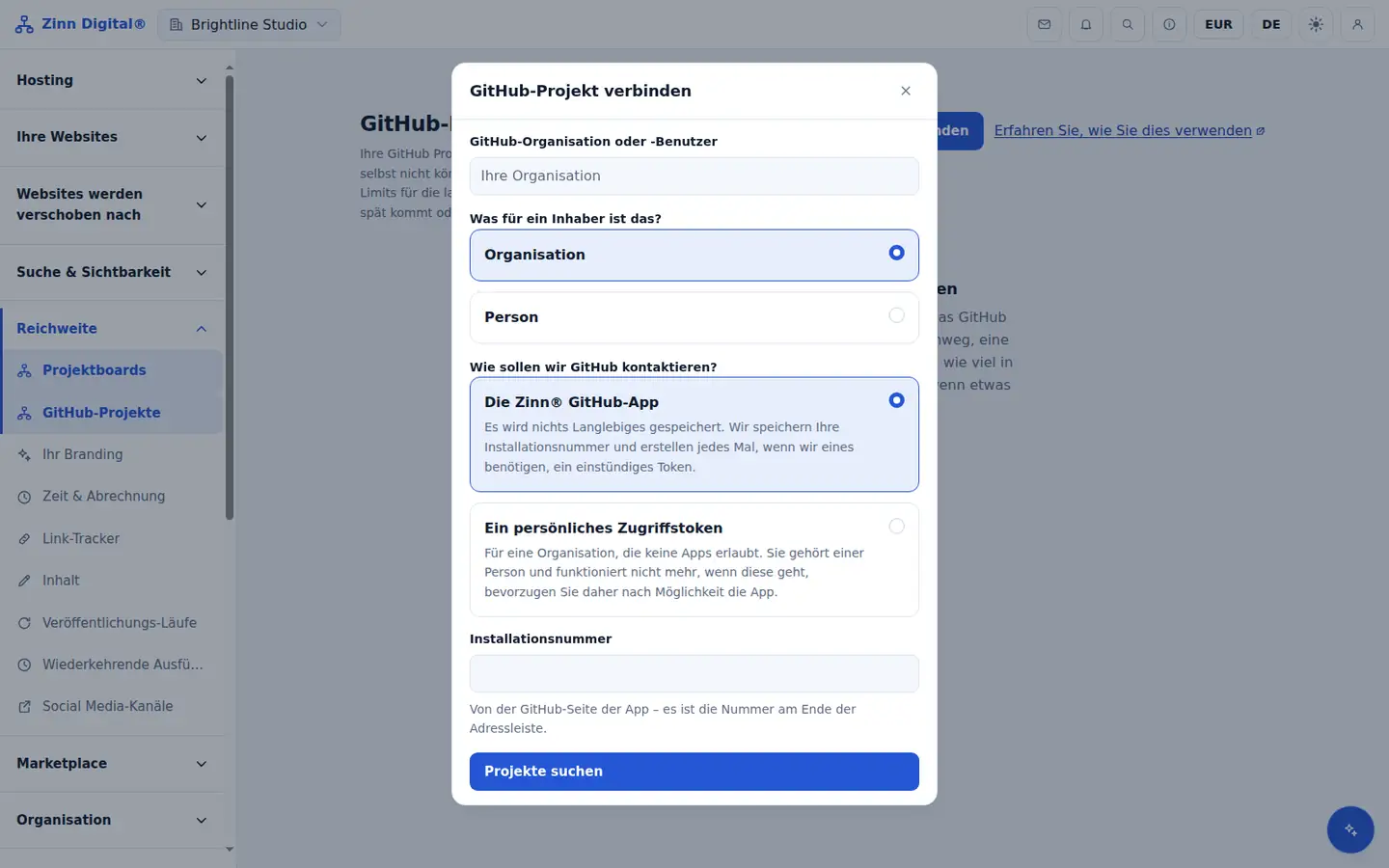
Open GitHub Projects
In the app, open GitHub Projects from the menu and choose Connect a project.
Enter the owner
Enter the GitHub organisation or user that owns the project, and choose the owner type.
Choose how to reach GitHub
Choose The Zinn® GitHub app and enter its installation number, or A personal access token. Use a fine-grained token with access only to the projects you need; it is stored in Vault.
Find and choose the project
Choose Find projects, pick the project, and optionally show it alongside a board.
Connect and choose the direction
Choose Connect. Sync is two-way by default, or GitHub to Zinn® Boards only.
Understand conflicts
If the same field changes on both sides, the most recent edit wins and the overwrite is recorded as a conflict you can review.
Free with Zinn Digital® hosting
Get Zinn® Boards free on Agency and Reseller hosting
Every Zinn Digital® Agency and Reseller hosting plan includes Zinn® Boards, with AI and API access, at no extra cost. Host your clients' sites and run their projects in one account, on one bill.