 Zinn® Boards
Create your first board
Sign up, create a board, and understand the columns it starts with.
Sign up
Create a free account from the Get started button. The Free plan includes one board, and you can move to Pro or Business at any time.
Open Boards
In the app, open Boards from the menu and choose New board.
Name the board and say who it is for
Enter a board name and choose who the board is for: a client, or just your team. Then choose Create board.
Learn the starting columns
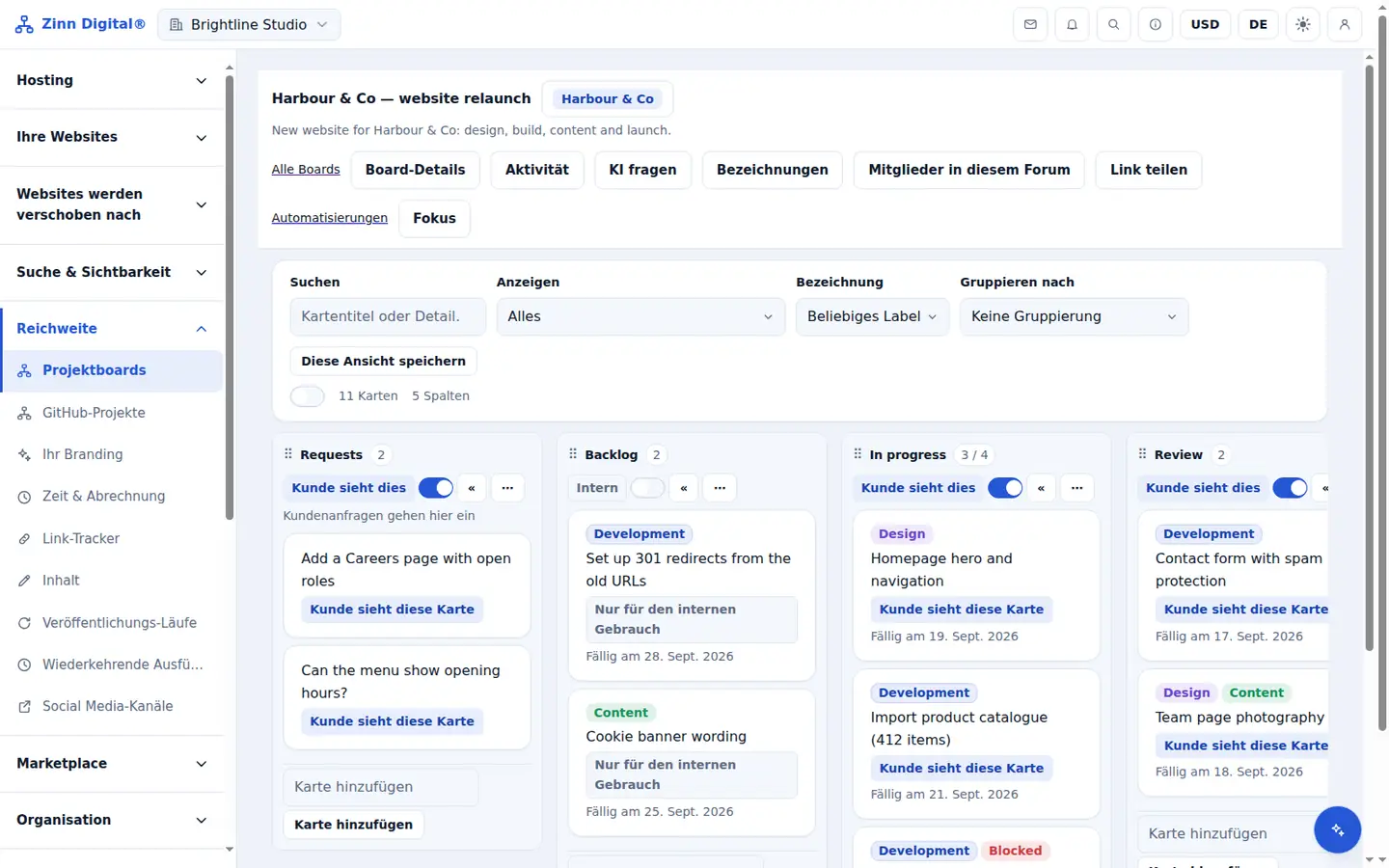
A new board has five columns: Requests, where client requests arrive; Backlog; In progress; Review; and Done. Rename them or add your own to fit how you work.
Add your first cards
Add cards to a column, then open a card to set an assignee, a due date, labels, a checklist and comments.
Free with Zinn Digital® hosting
Get Zinn® Boards free on Agency and Reseller hosting
Every Zinn Digital® Agency and Reseller hosting plan includes Zinn® Boards, with AI and API access, at no extra cost. Host your clients' sites and run their projects in one account, on one bill.