 Zinn® Boards
Share a board with a client
Create a share link, choose what it allows, when it expires and whether it can be used once.
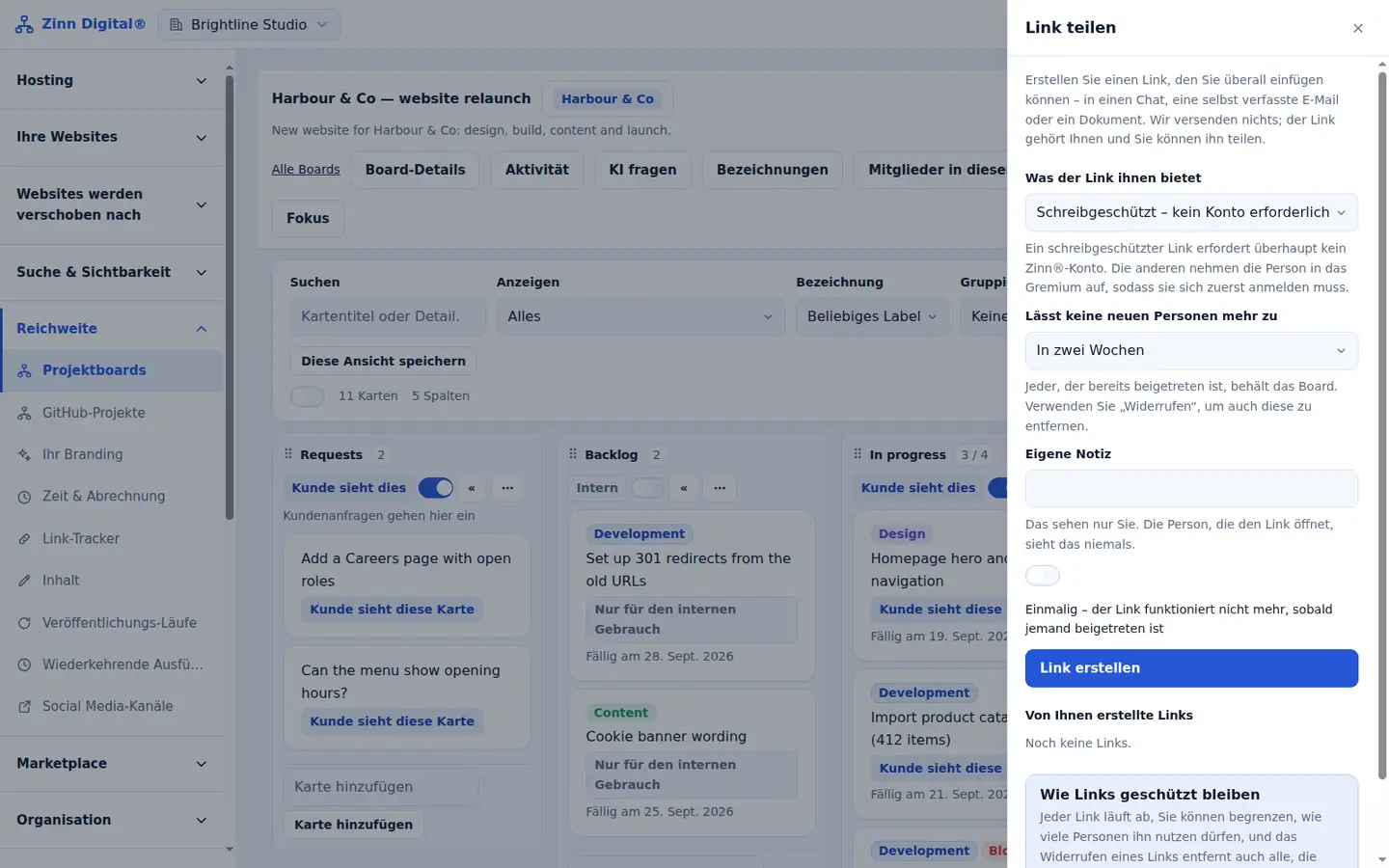
Choose Share a link
Open the board and choose Share a link.
Choose what the link gives them
Read-only needs no account. Client lets them comment, answer questions and raise requests after signing in. You can also create board member and board manager links.
Choose when it stops letting new people in
Pick tomorrow, a week, two weeks, a month or three months. People who already joined keep access when a link expires.
Make it single-use if you want
Tick Single use for a link that only one person can join through.
Create and copy the link
Choose Create the link, then Copy the link. The full link is shown only once, because only a fingerprint of it is stored.
Revoke when you need to
Choose Revoke next to a link to stop it working. Revoking also removes everyone who joined through that link.
Free with Zinn Digital® hosting
Get Zinn® Boards free on Agency and Reseller hosting
Every Zinn Digital® Agency and Reseller hosting plan includes Zinn® Boards, with AI and API access, at no extra cost. Host your clients' sites and run their projects in one account, on one bill.