 Zinn® Boards
Features
Zinn® Boards is a kanban board for agencies and teams who do work for clients. Your team plans and moves the work; your clients see the cards you choose to share, raise requests and answer questions — and GitHub Projects stays in sync. Free for one board, with one price per organisation when you grow.
Client view and visibility
Most project tools assume everyone who can open a board belongs to your team. Zinn® Boards assumes one of the people looking at it is your client. Every column, card and comment carries a visibility setting, and the client view is built from only the items you have shared.
That means you can run the real project in one place — internal estimates, blockers and notes included — and still give the client an honest, live view of where their work is, without keeping a second board in step by hand.
- Columns, cards and comments are each agency-only or shared with the client.
- A card is visible to the client only when the card and its column are both shared.
- Labels are never shown to the client.
- Clients can comment, answer questions and raise requests. They cannot move cards.
Share links
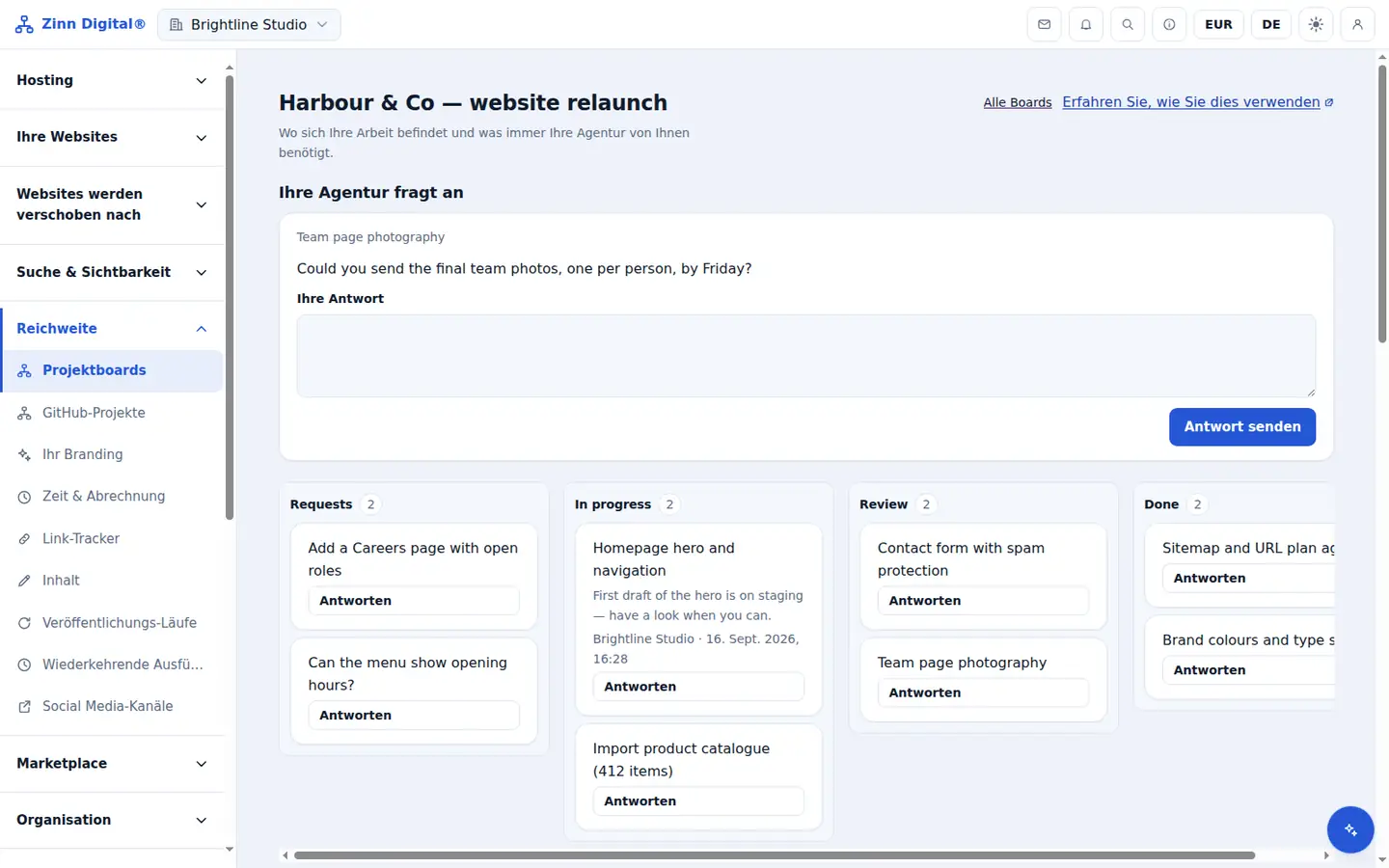
A share link is how a client, a freelancer or a colleague gets onto a board. You decide what the link grants, how long it keeps letting new people in and whether it can be used once, and you can see and revoke every link you have made.
A read-only link opens the board with no account at all, which is usually all a client wants. Because only a fingerprint of each link is stored, a leaked database never contains a working link, and revoking one removes everyone who came in through it.
- Read-only links open without an account.
- Client, member and manager links ask the person to sign in or create an account.
- Links last from one day up to 90 days, and can be single-use or capped.
- Only a fingerprint of each link is stored, so a link is shown once, when you create it.
- Revoking a link removes everyone who joined through it.
Requests and questions
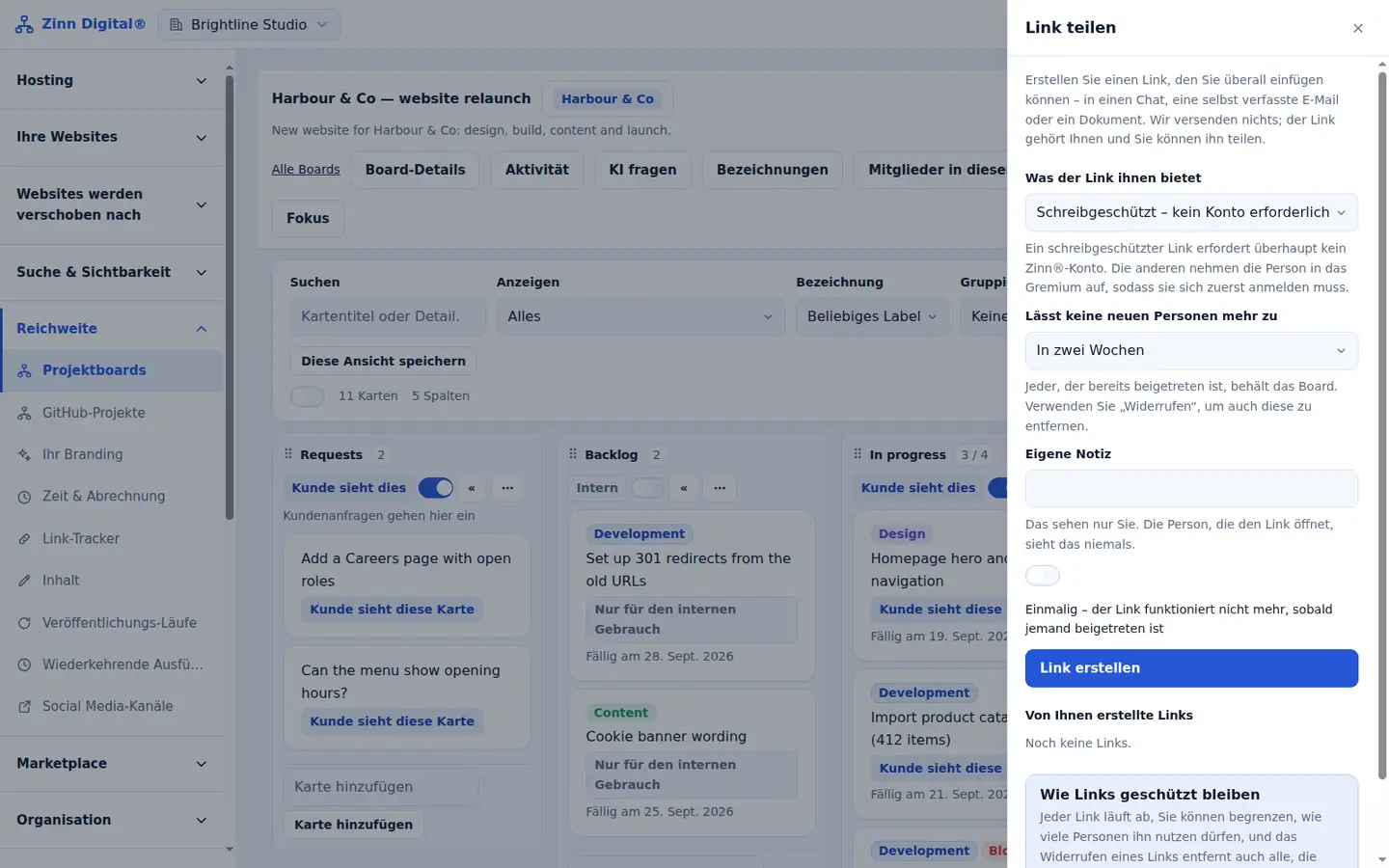
Client requests usually arrive by email, chat and phone, and the one that matters is the one nobody wrote down. On Zinn® Boards the client raises a request on the board itself, and it lands as a card in your Requests column with who asked and when.
It works the other way too: ask the client a question against the card it is about. They are emailed, answer on the board, and the answer stays with the work instead of in somebody's inbox.
- Clients raise requests from the board; each arrives as a card in your Requests column.
- Ask the client a question on a card, withdraw it if it is no longer needed, and see the answer on the card.
- Email notifications for questions, answers, client comments, client requests and assigned cards.
The kanban board itself
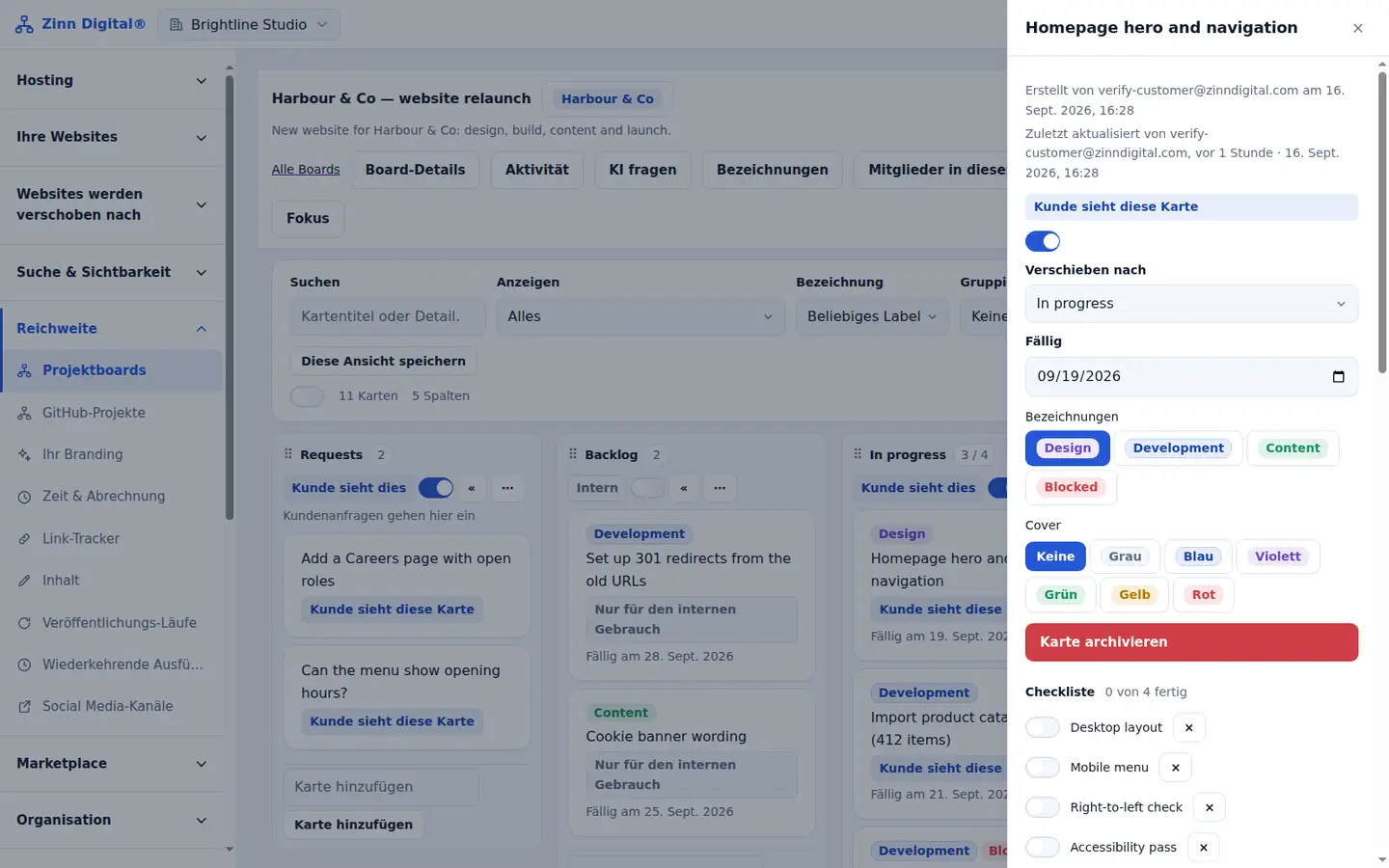
Underneath the client features is a complete kanban board: columns with work-in-progress limits, cards with assignees, due dates, labels, checklists, comments and attachments, and saved views so each person can see the board the way they work.
Everything that happens is recorded in the activity history, including whether a change came from a person, an automation, the AI or GitHub, so you can always answer the question of who moved what.
- Columns with advisory work-in-progress limits.
- Cards with assignees, due dates, six label colours, checklists and comments.
- Attachments up to 25 MB each, scanned for malware.
- Saved views, focus mode, search, filters and group-by.
- Archive and restore, with an activity history of who did what — a person, an automation, the AI or GitHub.
Team roles
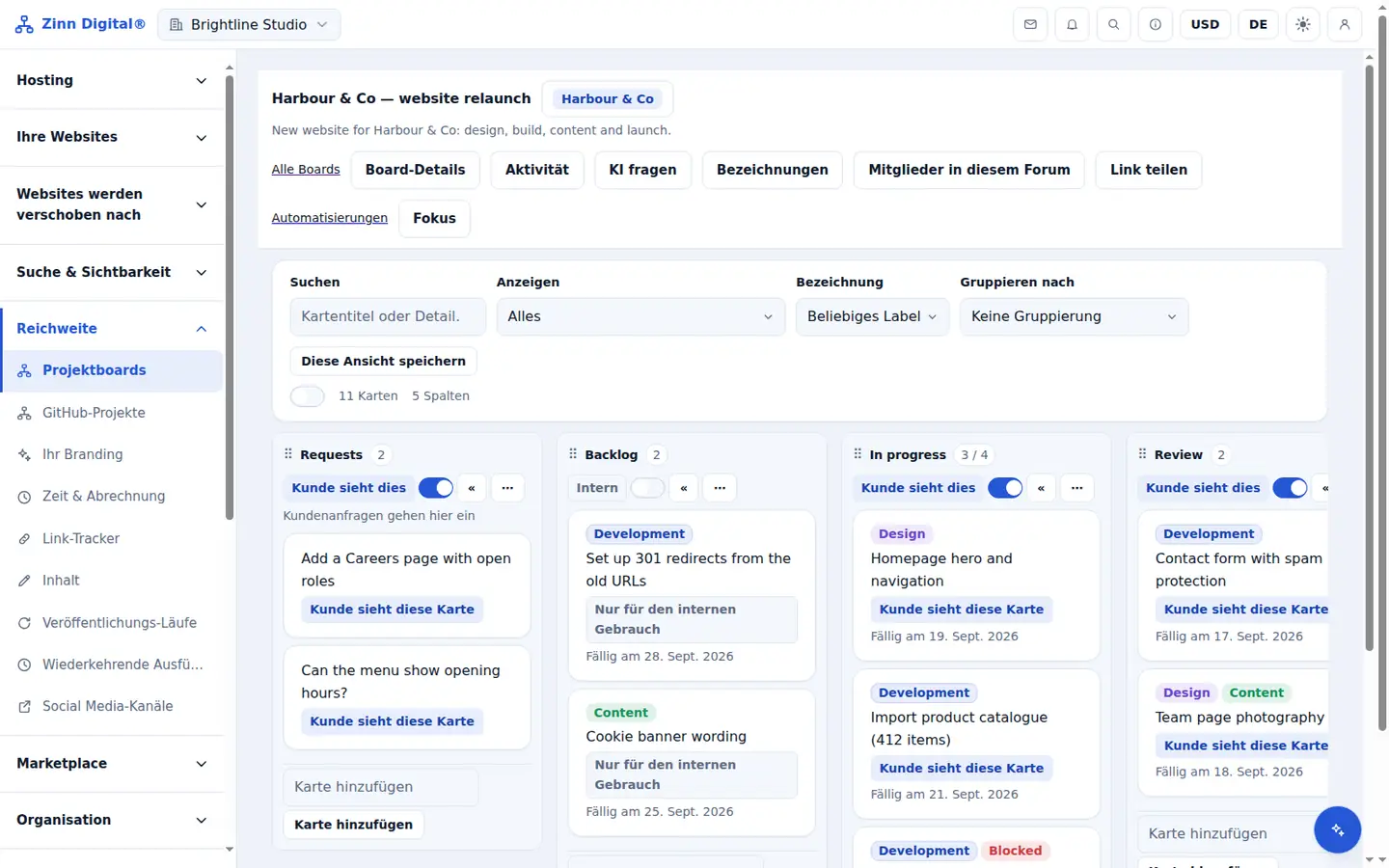
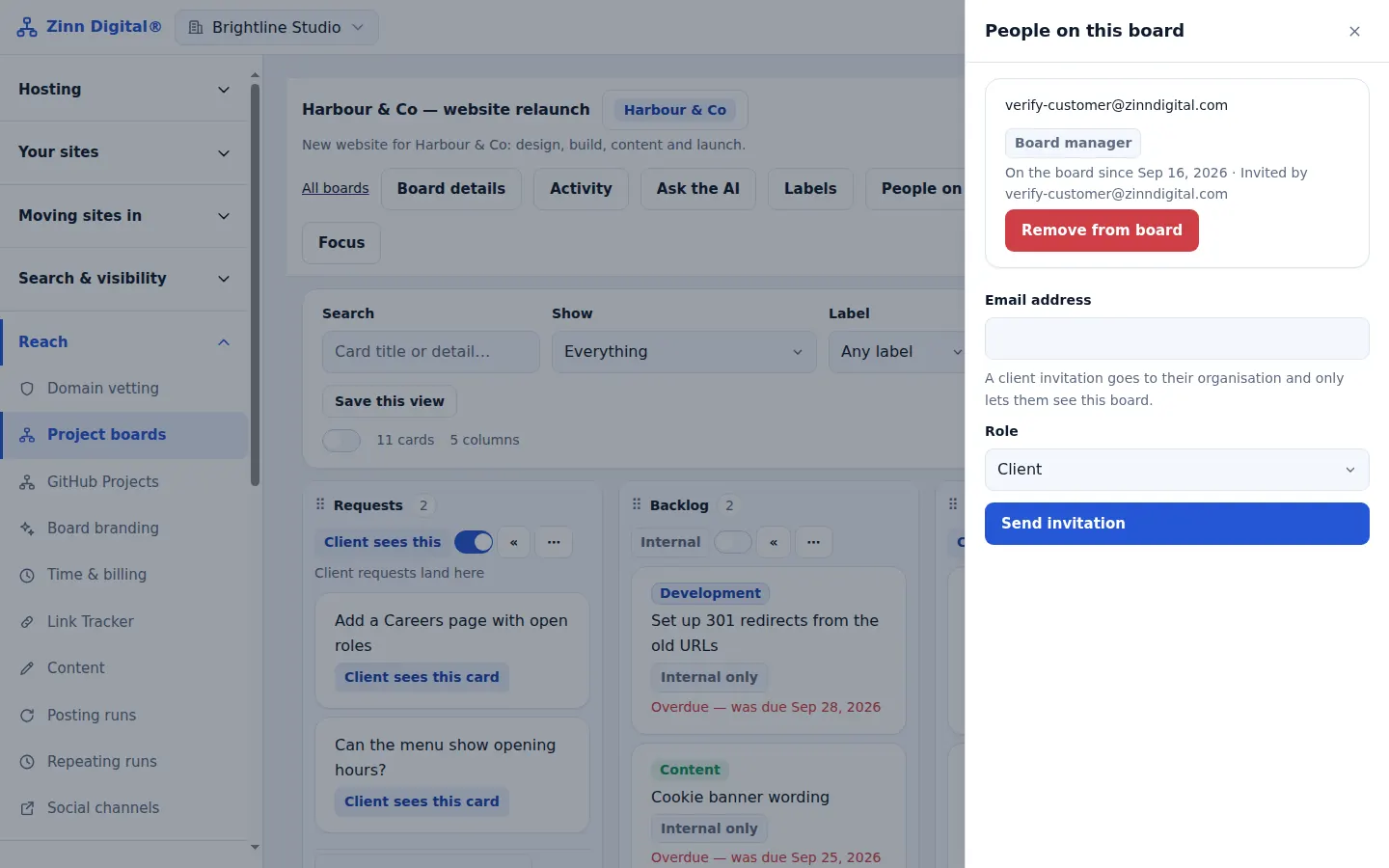
People on a board have one of four roles. A board manager runs the board and decides who is on it; a board member does the work; a client sees the client view and can comment, answer and raise requests; a viewer can only look.
Roles keep a client's access narrow by default: the client role can never move cards or see anything marked agency-only.
- Board manager: full control, including who is on the board.
- Board member: works the board but cannot change its members.
- Client: the client view, with comments, answers and requests.
- Viewer: read-only, through a share link.
GitHub Projects sync
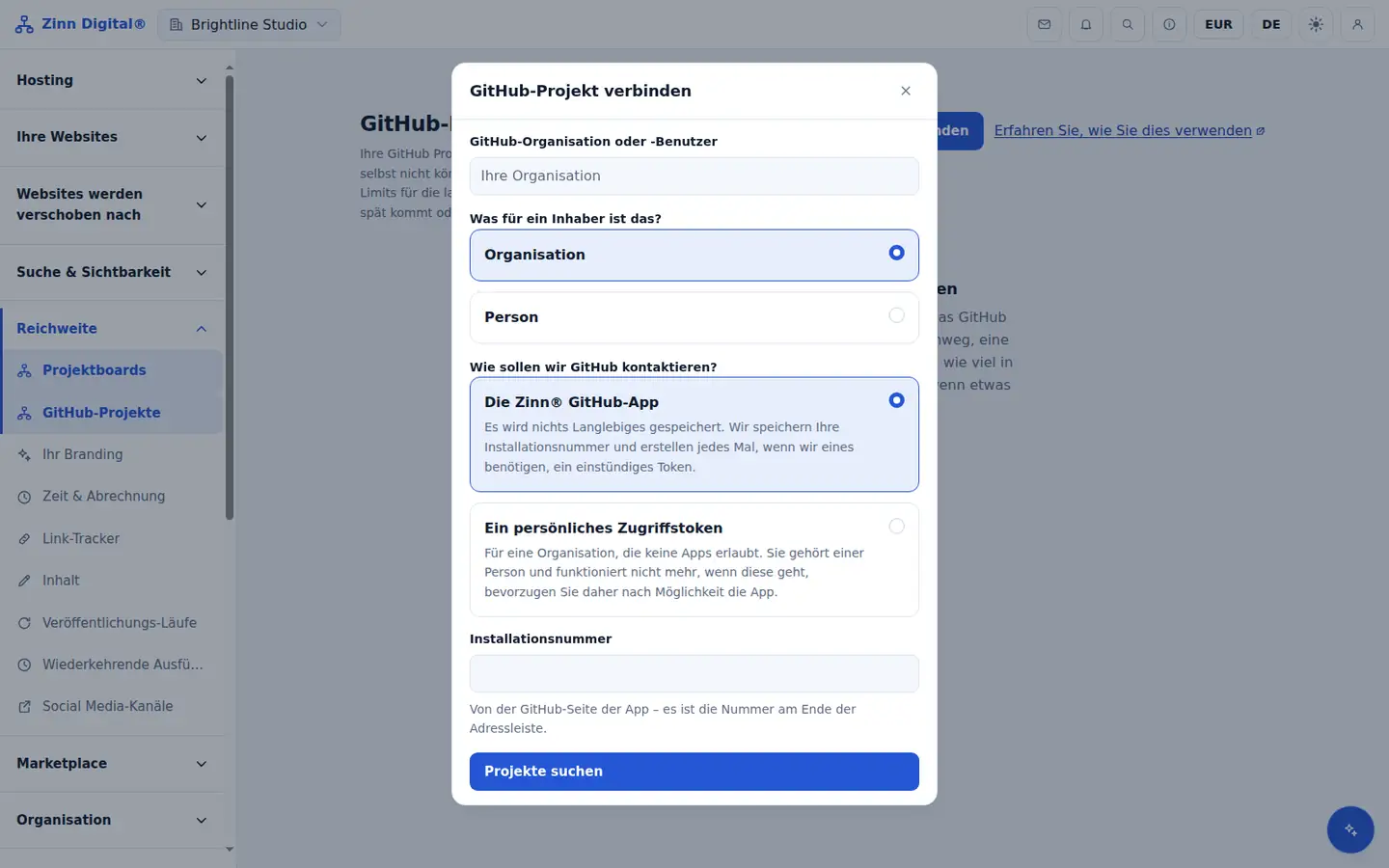
Development teams already track work in GitHub Projects. Connect a project and its issues, pull requests and draft items, with their fields and status, stay in sync with the board — both ways, or from GitHub only.
Developers keep working where they are, and managers and clients get a readable board. If the same field changes on both sides, the most recent edit wins and the overwrite is logged as a conflict you can review.
- Connect with the Zinn® GitHub app or a fine-grained personal access token.
- Two-way, or GitHub to Zinn® Boards only.
- Issues, pull requests and draft items, with their fields and status.
- Live updates through a GitHub webhook, otherwise every five minutes.
- Conflicts resolve to the most recent edit and are logged.
AI on the board
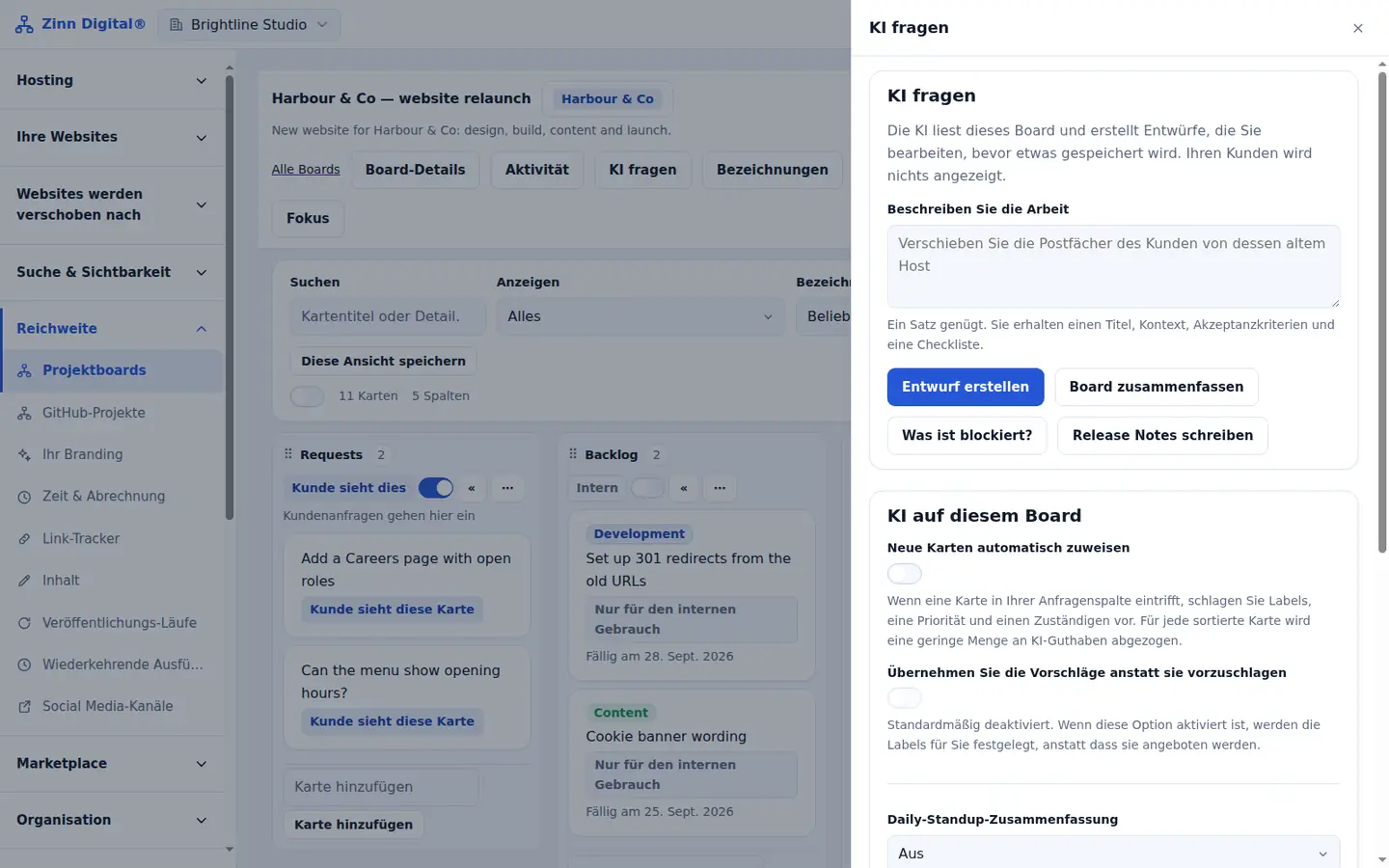
The AI on each board drafts cards from a rough description, splits a large piece of work into smaller cards, summarises a card or the whole board, finds duplicates, writes release notes and tells you what is blocked.
Nothing it writes is saved until you have read and edited it. It runs on Zinn® AI credit on Pro and Business, or on your own AI provider key on any plan, which we do not charge for.
- Draft a card, split an epic, summarise a card or the board, triage, find duplicates, write release notes and ask what is blocked.
- Optional automatic triage and a standup digest — daily, weekdays or weekly — that skips quiet boards.
- Runs on Zinn® AI credit, or free of our charge on your own AI provider key.
- Every draft is edited by you before it is saved.
Automations and webhooks
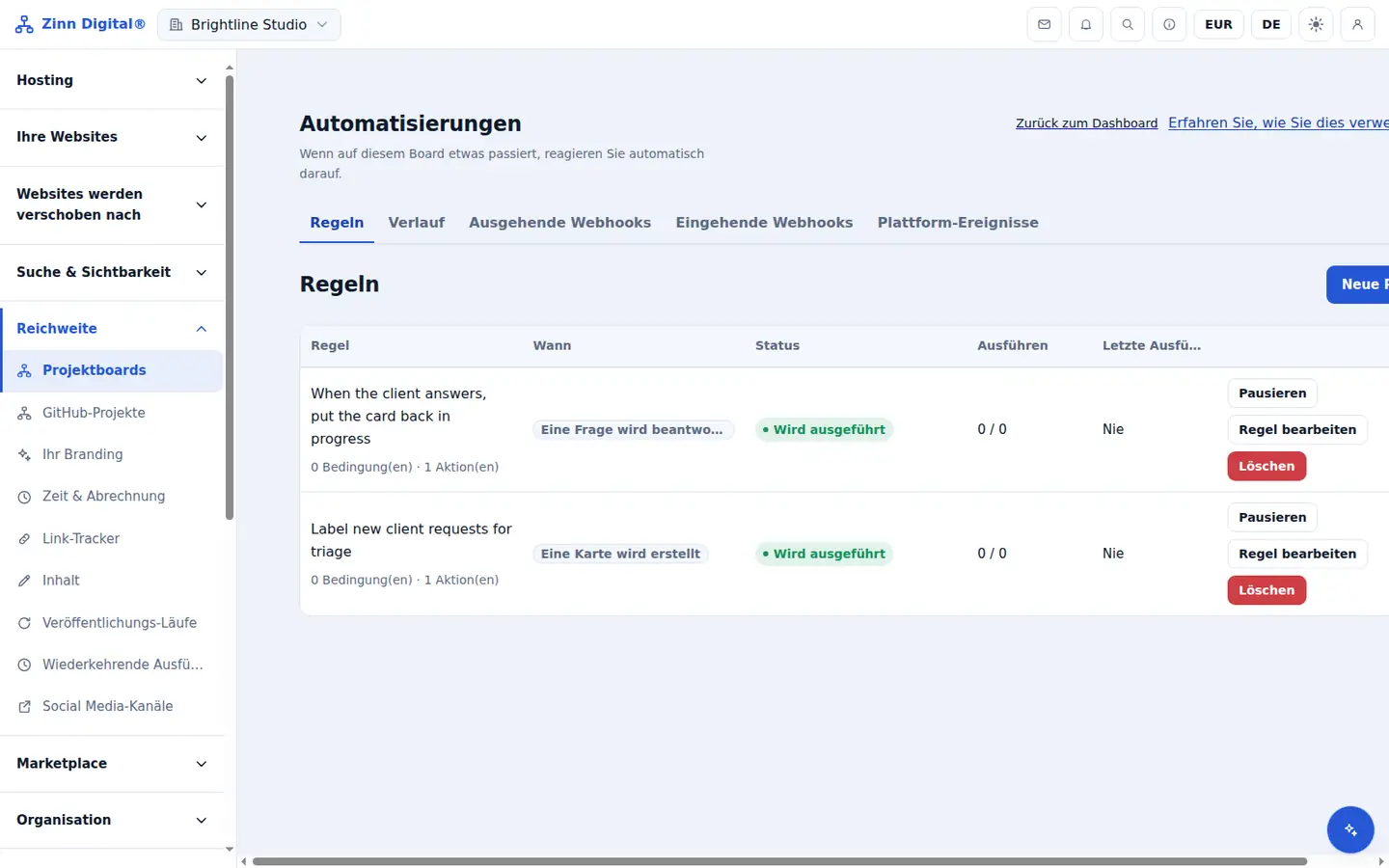
Automations handle the repetitive parts of running a board. Pick a trigger — a card is moved, a question is answered, a due date passes, a card goes quiet, a schedule runs or a webhook arrives — and the actions to take.
Rules can move, label, assign or comment on cards, create new ones, notify the people on the board or call a webhook into your other systems. Outgoing webhooks can be tested, replayed and have their secrets rotated.
- Triggers: card created, moved, updated, assigned or archived; label or comment added; question answered; checklist completed; due date approaching or passed; card idle; a schedule; an incoming webhook.
- Actions: move, copy, archive or create a card; set a due date; assign; change visibility; add or remove a label, checklist item or comment; call a webhook; notify board members.
- Outgoing webhooks can be tested and replayed, and their secrets rotated.
Your brand on shared boards
On Business, the boards your clients see carry your agency's name, logo and colour instead of ours.
For an agency that is the difference between sending a client to a tool and sending them to your own client portal.
- Show your name, logo and colour on the boards clients see.
- Included on the Business plan and on Zinn Digital® Agency and Reseller hosting.
API and MCP
Every board, card, comment, share link and automation is available through the public Zinn Digital® API, so you can create boards when a project starts or pull progress into your own reports.
The MCP server lets AI assistants work with your boards directly: list and read them, create and move cards, comment, and create or revoke share links.
- Every board action is in the public Zinn Digital® API.
- An MCP server lets AI assistants list boards, create and move cards, comment and manage share links.
- MCP access is included on the Business plan and on Agency and Reseller hosting.
Free with Zinn Digital® hosting
Get Zinn® Boards free on Agency and Reseller hosting
Every Zinn Digital® Agency and Reseller hosting plan includes Zinn® Boards, with AI and API access, at no extra cost. Host your clients' sites and run their projects in one account, on one bill.